Posts

Showing posts with the label Preference

Making your application’s data usage preferences available from system settings
Image
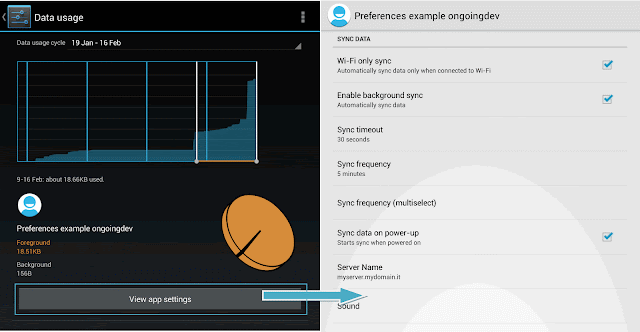
Android 4.0+ gives users the ability to monitor the amount of mobile data being used on their device, and in some cases, automatically turn off mobile data. You can access the Data Usage settings screen by opening the Settings app, and then selecting Data Usage. In Android 4.0+ if you create a Preference Activity to allow users to modify your application’s data usage, you can make it available from within the system settings when a user inspects your application’s data usage. It is very simple: just add a MANAGE_NETWORK_USAGE Intent Filter to the Preference Activity’s manifest node: Once set, the View Application Settings button in the system settings will launch your Preference Activity, allowing users to refine your application’s data usage rather than restricting or disabling it.
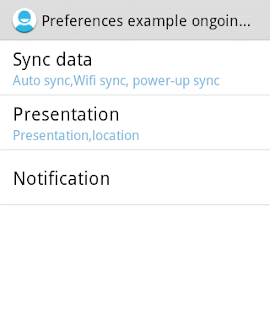
Preference Summary or Secondary Text

Image
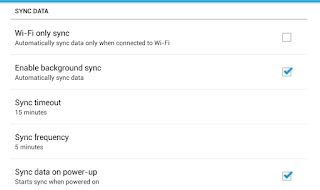
In android settings guidelines we can read : Secondary text below is for status, not description… Before Ice Cream Sandwich, we often displayed secondary text below a label to further describe it or provide instructions. Starting in Ice Cream Sandwich, we're using secondary text for status,unless it's a checkbox setting. Unfortunately, at time of writitng, there doesn't seem to be a simple, automated way of doing this. In this post we are going to look at how to achieve it. We can get an example from AdvancedPreferences.java in the Android code samples (API Demos). Step 1: Create a class called MyPreferenceFragment This class extends PreferenceFragment and implements onSharedPreferenceChangeListener as shown below. public class MyPreferenceFragment extends PreferenceFragment implements OnSharedPreferenceChangeListener{ @Override public void onCreate(Bundle savedInstanceState) { super.onCreate(savedInstanceState); ...

PreferenceActivity , PreferenceFragment and headers (Part 3)

Image
In previous posts we described how to use Preference Activity,Preference Fragment and Preference Header. Part 1:Preference Fragment Part 2:Preference Header As we have seen, the example described in Scenario 3 doesn't work on older device (API Level The Preference Fragment and associated Preference Headers are not supported on Android platforms prior to Android 3.0 (API level 11). As a result, if you want to create applications with headers that support devices running on both pre- and post-Honeycomb devices you have same alternatives: you need to create an additional preferences XML file that uses basic elements that behave like the header items you need to implement separate Preference Activities to support both, and launch the appropriate Activity at run time PreferenceFragment and Headers with older versions   As the first alternative: Step 1: Define the preferences_headers_scenario3.xml We can use the same file used in scenario3. This file lists each settings...

PreferenceActivity , PreferenceFragment and headers (Part 2)

Image
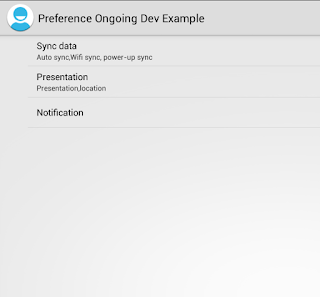
In previous post we described how to use Preference Activity and Preference Fragment. Android 3.0 (API Level 11) introduced Preference Headers through which we can show the user the list of headers, and upon clicking on a header, show the fragment. A great benefit to using this design is that PreferenceActivity automatically presents the two-pane layout when running on large screens. This behavior is particularly useful if you have more than 10 preferences, otherwise I suggest the direction of displaying headers all of the time. Scenario 3: Preference Headers   Step 1: Define the preferences_headers_scenario3.xml This file lists each settings group and declares which fragment contains the corresponding list of settings.The file is placed in the res\xml folder. With the android:fragment attribute, each header declares an instance of PreferenceFragment that should open when the user selects the header. Step 2: Create the Preference Activity ...

PreferenceActivity , PreferenceFragment and headers (Part 1)

Image
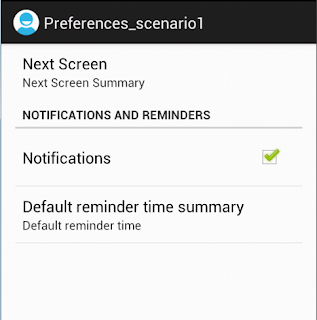
In this tutorial we will build a preference screen in different ways. Android provides a powerful xml driven framework to manage user preferences, that allows us to easily create preference screens such as those in Android itself and it automatically generates UI for that.  All we need to do is to simply use it in our app . See these  pages for more information on PreferenceActivity .and PreferenceFragment . We will evaluate 4 scenarios: Scenario 1: PreferenceActivity Scenario 2: PreferenceFragment Scenario 3: Preference Headers Scenario 4: PreferenceFragment and Headers with older versions Scenario 1: PreferenceActivity   In this scenario we will use a very simple but common example. Define the preferences_scenario1.xml The Preferences Activity screen is defined in the  preferences_scenario1.xm l file as shown below. This file is placed in the  res\xml  folder ...